Developers using AI are spending 19% longer on tasks, and slower tools aren’t the reason. Hallucinations invent APIs that don’t exist, security risks multiply from copy-pasted credentials, and senior developers are now reviewing five times more code than before.
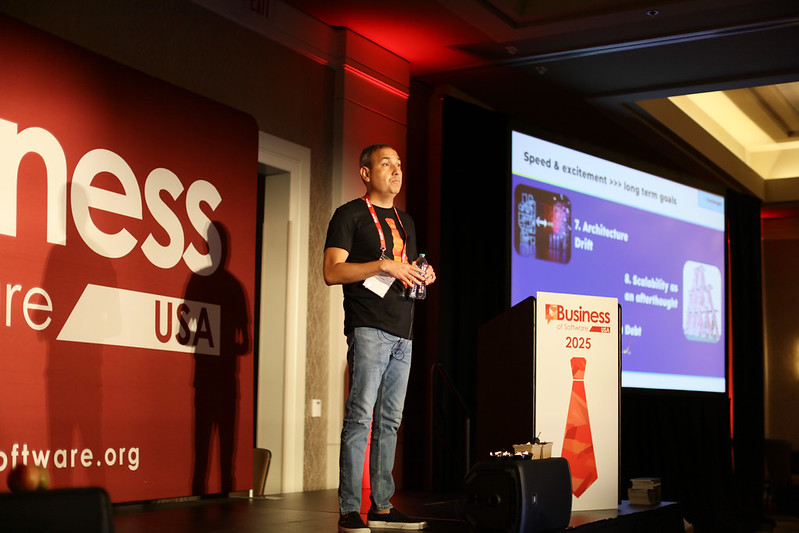
At Business of Software USA, Ivan Barajas Vargas, CEO and co-founder of MuukTest, walked through the findings from five of the most cited academic papers on AI in development. The picture: speed and efficiency aren’t the same thing. Code that requires endless review, security audits, and refactoring costs more than it saves.
The problem is how teams are using the tools.
Tool Overload Hides Real Security Risks
There are now hundreds of AI coding tools on the market: Cursor, Copilot, Claude, GitHub’s own offerings, plus specialised tools for every framework. Most teams pick one by gut feel, try a second, and end up running both in production.
That’s shadow AI: unauthorised, unvetted tools loose in the development workflow. A sales intern tries a new tool to “help.” Each one opens its own security surface.
The real risk is copy-pasting credentials into a system nobody’s vetted. Once that data leaks, it’s gone.
The fix: pick one stack and enforce it. Write standards. Any team can write a prompt, but the good ones write guidelines for how AI gets used in development, with input from business and product, not just engineering.
“It’s Like Using a Chainsaw”
That’s how Ivan puts it: AI coding tools are powerful in trained hands and a mess in untrained ones. Auto-complete, refactoring, scaffolding, root cause analysis, they all work, provided someone actually knows what they’re doing.
AI generates thousands of lines of code, most of it syntactically fine and conceptually plausible. Until you dig in and find APIs that don’t exist. That’s built into how these models work: they extrapolate from training data, and sometimes the extrapolation is fiction.
That’s tax.
The fix is context. Load your RAG system or vector database with documentation, architecture decisions, and code standards. Test performance regularly. Don’t assume generated code scales just because it compiles. And keep reviewing outputs: the more your team generates with AI, the more a senior developer ends up validating.
🎯 When my team ships faster with AI but I’m not sure code review is keeping pace, I want to know whether the tool is the problem or whether we skipped the guardrails.
The New Job Description: Full-Time Reviewer
Senior developers are reviewing five times more code than before AI entered the workflow. A junior developer with AI generates more code, faster. But every line needs review, testing, and validation. And the people you actually need for architecture, mentorship, and strategy are stuck validating what the junior team generated.
More code doesn’t mean better code. AI writes like a junior developer: a lot of output, some of it buggy, most of it immature. Tech debt compounds.
The burnout point is the one worth sitting with. A tool that’s supposed to save time is quietly taxing your best people, and most teams haven’t noticed because the dashboard still says “faster.”
The fix starts with acknowledging the shift: AI tools multiply senior workload, they don’t eliminate it. Monitor that load. And assign ownership: if someone is responsible for vetting the AI, integrating it, and maintaining standards, the workflow stays manageable. If no one owns it, it metastasises.
Treat AI Like a Chainsaw
The teams getting real value from AI aren’t treating it as a replacement for architecture or strategy. They’re treating it like a chainsaw: powerful, but only in trained hands with the guards on.
That means picking one tool and committing to it. Writing standards. Feeding the system context. Testing for performance. Instrumenting observability from day one, so you know why things break. Naming owners. Watching developer load so your senior people don’t burn out reviewing everyone else’s output.
It also means accepting where vibe coding belongs: prototypes, mockups, small features. Not the core architecture of a fintech platform or a healthcare system. There, AI scaffolds and refactors. It doesn’t decide.
The vibes are only off if you skip the integration work and hope for the best.